Create an AR poster in four steps.
Upload the poster art to Interart's free browser editor, compose video and text layers on top, publish to get a link and QR code, and print the code beside the poster. Viewers scan and point their phone — the poster plays in their browser, no app. The first working reveal takes about fifteen minutes.
No account needed.
From print file to playing poster
-
1
Upload the poster artwork
Open the editor — no account needed — and add the poster art as your artwork. A flat, well-lit photo works; shot at an angle, mark the four corners and it's flattened automatically.
-
2
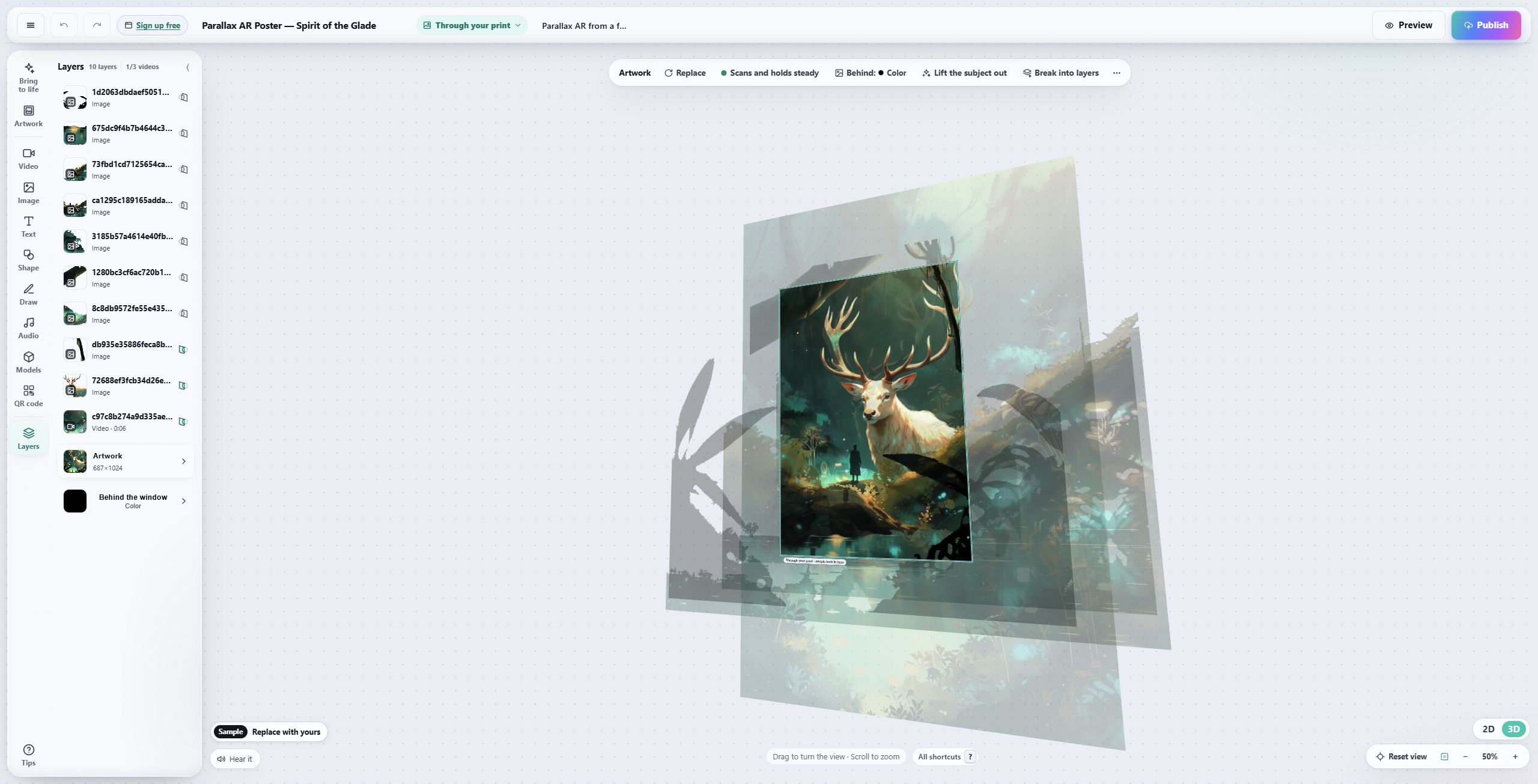
Compose the layers
Drag video, images, GIFs, text and 3D onto the poster. Position them anywhere — including beyond the poster's edges.
-
3
Publish
Publishing gives the poster one link and a QR code. The AR runs in any modern phone browser.
-
4
Print the QR beside the poster
Next to the poster, not on the art — the artwork itself is the tracking marker. Scans open the viewer and the poster plays.
The editor, and what you ship
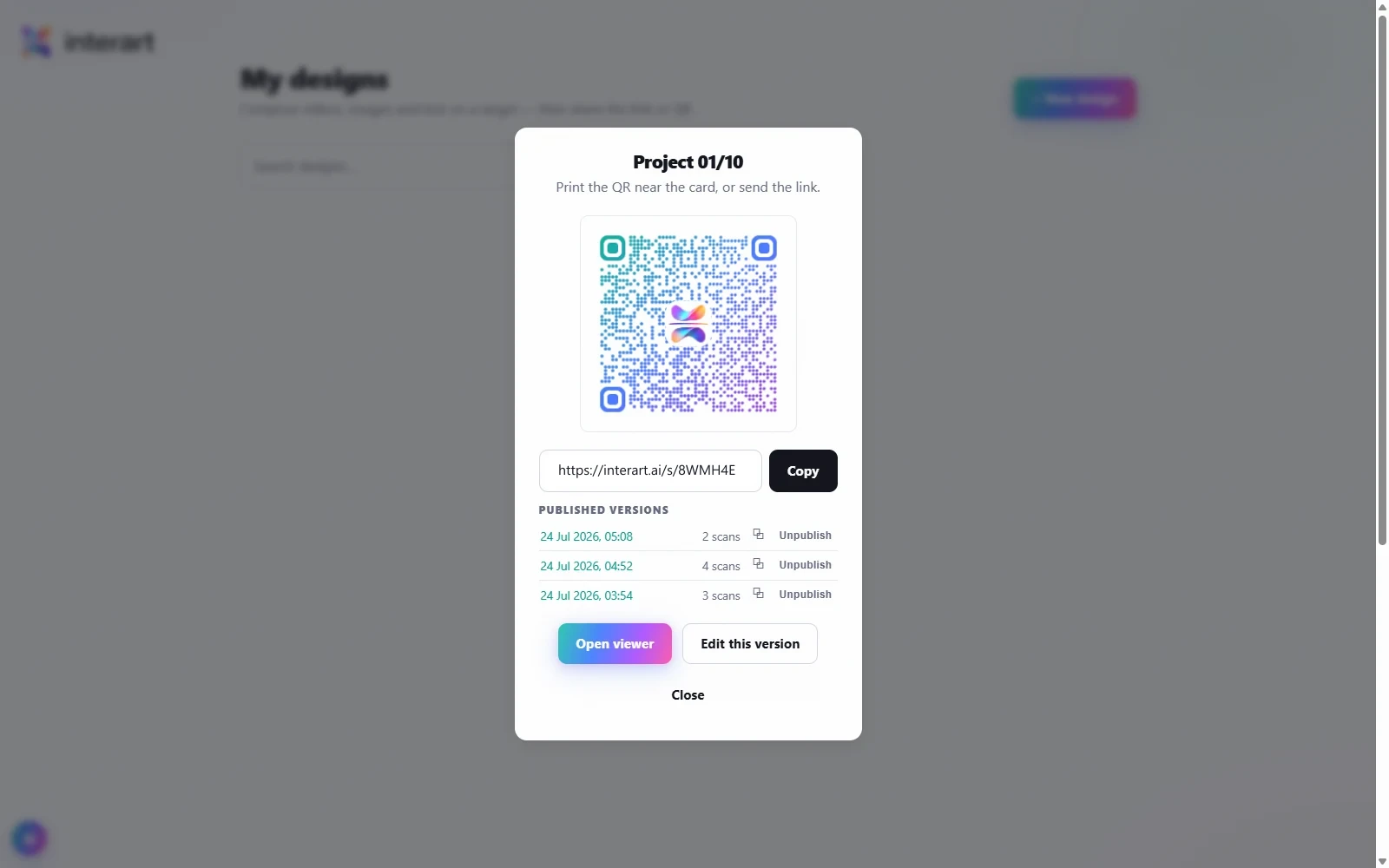
Publishing produces a branded QR and a short link — the modal shows every published version with its own scan count.
“Update the existing link and QR” moves every printed code to the new version; “Publish as a separate link” keeps the old version live at its own link.
Each version's scans are counted, so you know which wall, which venue, which run is earning attention.
What you need before you start
The print file, or a straight photo of the printed poster. Detailed, contrasty artwork tracks best; big flat color fields track worst. Photo guide →
A video (free: up to 20 MB / 30 s · Pro: 50 MB / 3 min), an animation, images, or just text composed in the editor.
Make and preview with no account. Publishing asks for a free one: 3 published designs and 100 scans a month on the free plan — commercial use included, no credit card. See plans.
Questions, answered.
Video (MP4 and common web formats), images and GIFs, text composed in the editor, and 3D models (GLB). The free plan takes videos up to 20 MB and 30 seconds; Pro takes up to 50 MB and 3 minutes.
No — the experience opens in the phone's browser from the link or QR code. iOS Safari and Android Chrome both work. Nothing to install, no account for viewers.
Minutes, not days. Upload the art, drop a video on it, publish — the first working reveal is typically live within a quarter of an hour, and you can refine the composition any time without touching the print.
Open a template, make it yours.
Interart’s AR templates are finished, working designs — open one in the browser editor, swap in your own artwork, and it’s yours. Each one teaches a technique with a built-in guided tour.
No account needed — sign up later and your work comes with you.
Your poster is ready. Give it something to say.
Free plan, commercial use included, nothing for your audience to install.